 Copyrighted
 Copyright Notice Format for Photos: © Year Name Explained
How to write a copyright notice for photos: the symbol, the year and the owner, All rights reserved, ranges of years, and which metadata field gets what.
Copyrighted reads the copyright hidden inside your photos, sorts them by who owns them, and writes your name into a thousand at once. Without re-encoding the image, on your own device, and with every batch kept in History to undo.





Scan a folder or your whole Photos library. Copyrighted reads each photo's copyright fields and puts it in one of four groups. Blank and Conflicting are the ones to fix.
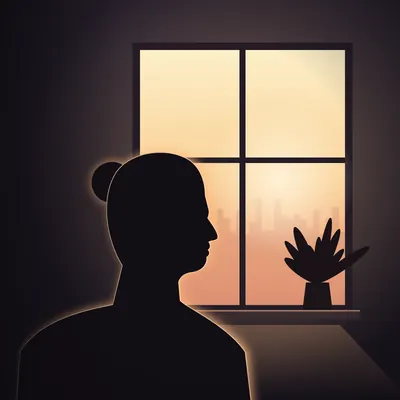
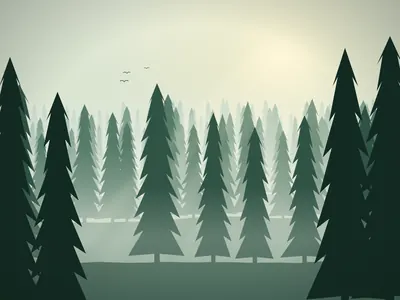


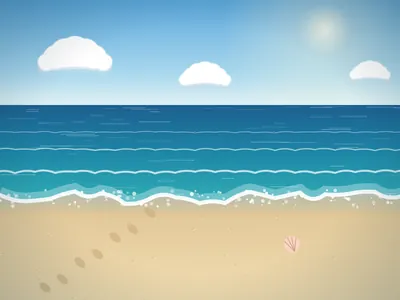
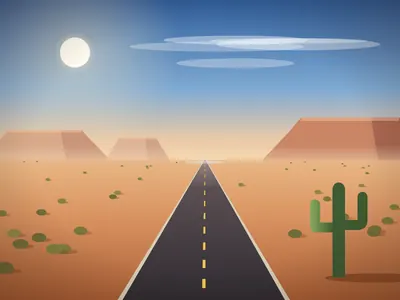
Carries your notice, and no layer says otherwise.
Names someone else. Check before you use it.
Says nothing about who made it. Stamp it.
EXIF names one owner, IPTC another. Update fixes every layer.
A photo can store its copyright three times: EXIF for cameras, IPTC for agencies and newsrooms, XMP for Adobe software and the web. When they disagree, nobody knows whom to credit.
Found: EXIF names an old studio, IPTC names you, XMP is blank. This photo is Conflicting.
Drop a photo and see the copyright its EXIF, IPTC and XMP fields carry. It is read right here on your computer. Nothing is uploaded.
Or drop it anywhere in this box. JPEG, HEIC, PNG and TIFF. The app also reads RAW files and their XMP sidecars.
Read locally. Nothing leaves this page.| Field | EXIF | IPTC | XMP |
|---|---|---|---|
| Notice | © 2019 Northlight Studio | © 2026 Sandro Gumz | — |
| Creator | Northlight Studio | Sandro Gumz | — |
| Credit | — | Sandro Gumz | — |
| Web statement | — | — | — |
Sample result. Choose a photo to read your own.
Writing metadata into ten thousand photos only works if you can trust it with all ten thousand. So every write follows the same rules.
Files are rewritten in place without re-encoding the image. RAW files get an XMP sidecar instead.
What each photo said before is recorded before anything changes.
A written file is read back and must say exactly what you asked, or the original stays.
If a photo changed since the scan, it is read again. If its copyright changed too, it is held back and left as it was.
Photos can't edit a picture's details in place, so a stamped copy goes to a “Copyrighted” album. The original stays unless you turn on the option to delete it, and then only once its copy is verified.
History keeps every batch. Undo puts back each photo it can, and names any it had to skip, such as one changed since.
In the share sheet of Photos, Files and other apps. Pick photos, choose your profile, and they are stamped where they are, or as copies in your Copyrighted album.
Also in the share sheet: a certificate of who a photo says it belongs to, before you post, print or use it. It never changes the photo.
Stamp a photo and drop it straight into the conversation. Nothing is saved to your library. Free, always.
Scanning, grouping and checking are free for good, and so are your first 50 stamped photos. Removing copyright is always free.
What each copyright field means, who reads it, and how to fill it in on an iPhone or a Mac.
The oldest field, often set by cameras. Short, and widely read.
IPTC · 2:116What agencies and newsrooms read first.
XMP · dc:rightsThe layer Lightroom, Photoshop and many web tools read.
IPTC · 2:80Who pressed the shutter, as opposed to who owns the rights.
IPTC · 2:110The exact words a publisher should print beside your photo.
xmpRights:WebStatementA link to your licensing page, carried in the file.
How-to · iPhoneStamp one photo or your whole library, without losing quality.
How-to · checkRead what a file says about its owner, and what it can't tell you.
Notices5 min
How to write a copyright notice for photos: the symbol, the year and the owner, All rights reserved, ranges of years, and which metadata field gets what.
Selling prints6 min
Web Statement of Rights, Usage Terms, Credit Line and contact details: the metadata that helps print sellers get found, credited and asked before use.
Archives6 min
Back up, read what is there, resolve conflicts, write losslessly with sidecars for RAW, and keep every batch undoable. A safe order for bulk stamping.
No. Copyrighted rewrites only the metadata and never re-encodes the image. RAW files are never written; they get an XMP sidecar next to them.
Yes. Every batch is kept in History, and undoing it puts back what each photo said before. If a photo can’t be put back, such as one changed since the batch, undo skips it and says so. For copies saved to Photos, undo deletes the copies, and Photos asks you once to confirm.
No. Photos doesn't let any app edit a photo's details in place. Copyrighted saves a stamped copy to a “Copyrighted” album and leaves the original untouched. An optional setting, off by default, can delete an original after its copy is verified.
Metadata doesn't create copyright. In most countries copyright in a photo arises when it is taken, though who owns it can depend on things like employment or contracts. Metadata tells everyone who handles the file who owns it and how to credit you. For legal questions, ask a lawyer where you live.
No. There's no account, no analytics and no cloud of ours. Everything happens on your iPhone, iPad or Mac.

Free to scan, group and check. Your first 50 stamped photos are free too.
 Check a photo first
Built by the same maker, for the same photo library.
 RawToHEIC
Convert RAW to HEIC and reclaim your storage — without leaving Apple Photos.
Learn more
RawToHEIC
Convert RAW to HEIC and reclaim your storage — without leaving Apple Photos.
Learn more
 MergeHDR
Merge bracketed exposures into one clean HDR photo, right on your device.
Learn more
MergeHDR
Merge bracketed exposures into one clean HDR photo, right on your device.
Learn more
 Filters
Find photos by the colours in them — three colours as one Venn query, on-device.
Learn more
Filters
Find photos by the colours in them — three colours as one Venn query, on-device.
Learn more
 Photo Geotag
Put photos with no location back on the map, from the geotagged shots around them — on-device.
Learn more
Photo Geotag
Put photos with no location back on the map, from the geotagged shots around them — on-device.
Learn more
 Camera Grid
A camera that reads the scene, draws the composition that fits it and scores your framing live — on-device.
Learn more
Camera Grid
A camera that reads the scene, draws the composition that fits it and scores your framing live — on-device.
Learn more
 Photo Tape
One photo a day for two, on each other's home screen. Shared through iCloud.
Learn more
Photo Tape
One photo a day for two, on each other's home screen. Shared through iCloud.
Learn more
 Site Pulse
Watch your sites' live visitors from the Mac menu bar.
Learn more
Site Pulse
Watch your sites' live visitors from the Mac menu bar.
Learn more